
Remote support
We help you on your computer, only when you ask
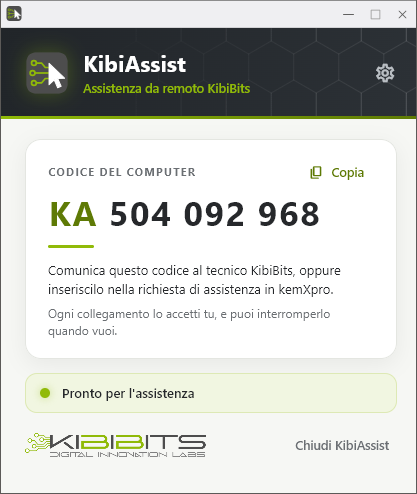
With KibiAssist a KibiBits technician sees your screen and, if needed, uses the mouse and keyboard for you to solve the problem. You accept every connection, and you can end it whenever you want.
Download KibiAssist for Windows
Digitally signed by KIBIBITS SRL (Actalis certificate)
SHA-256 f79699e56725241bee01c3569fec965c7204d8588bb2200384f1dd4e4fcf2813
How it works
Three steps, and you are always in control
1
Download and open KibiAssist
Nothing to install: open the file and the program starts. The first time, read and accept the support terms and conditions.
2
Ask for support in kemXpro
Open «Support Requests», press «Remote Support» and enter the code shown by the program, for example KA 123 456 789.
3
You accept the connection
When the technician connects, KibiAssist asks you to accept. During the session you always see that it is active, and you can end it with «Disconnect».
Security
Your computer stays yours
- Support starts only at your request.
- You accept every connection, every time.
- The request stays valid until the technician closes the ticket, for 24 hours at most.
- The connection is encrypted between your computer and the technician's.
- We do not record your screen, audio or keystrokes.
- The program connects only to our server, no third-party services.
Need help?
KibiBits support answers by email or phone.